The Standing Solidary Fund (SSF) is a body of funds built by supporters of MMA. Its purpose is to reduce MMA and workers’ reliance on ad-hoc fundraisers, which require both time and energy to fulfil – behaving as a financial safety net for workers with especially urgent needs.
Regular and recurring contributions to the SSF help to build up structures of care, allowing us to move beyond constant firefighting, and move toward supporting workers with greater ease and intention. On a broader scale, mutual aid is about solidarity, giving, and wealth redistribution. Regular contribution is one of the most reliable and helpful ways to redistribute wealth, as many of us who are in positions to give also materially benefit from the same systems that consistently fail migrant workers, leading to their precarity.
In our newsletters, we detail how much we have passed on directly to workers for accountability to our contributors. Click here for our archive of newsletters and past SSF disbursals.
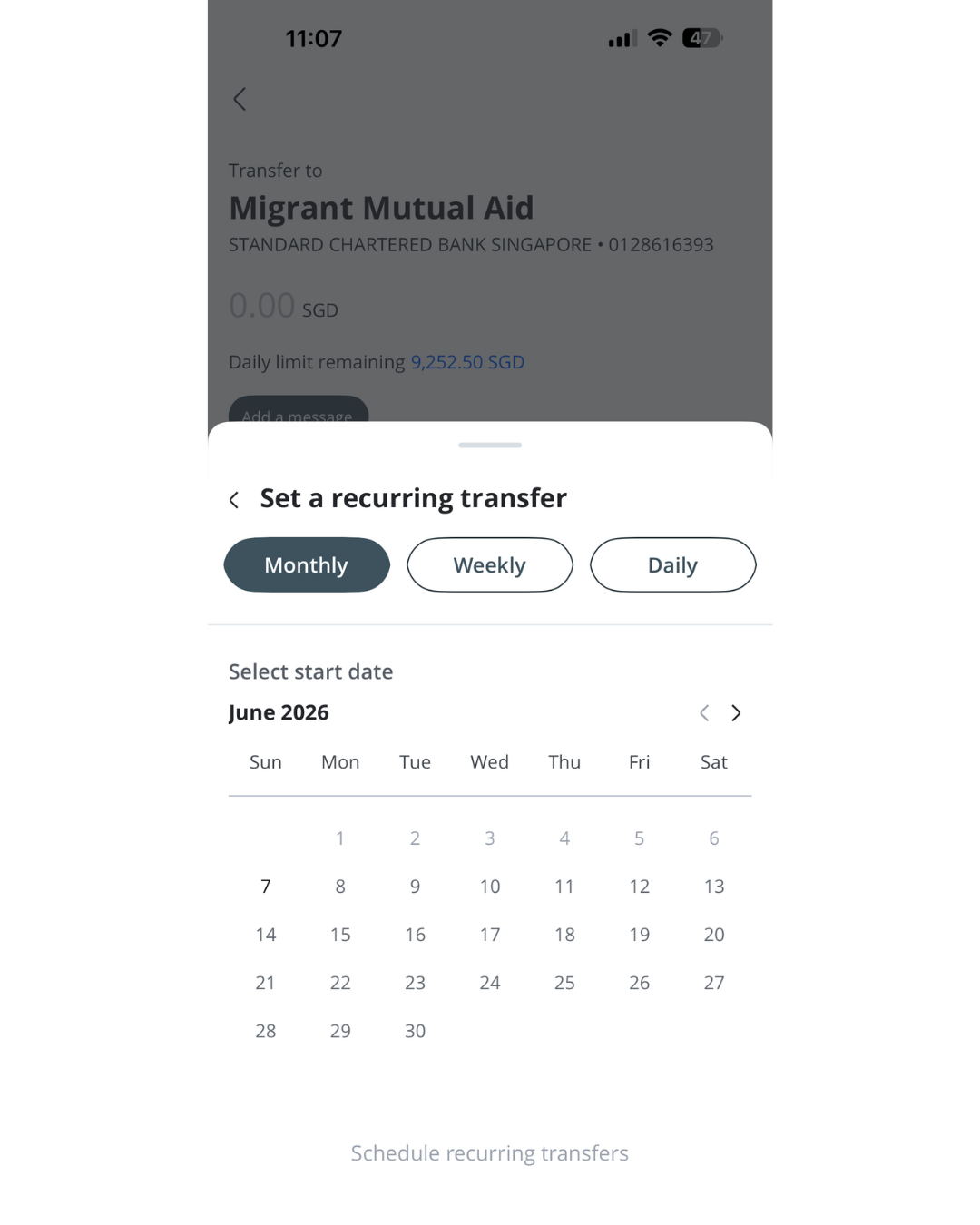
If you would like to support MMA, we welcome all one-off and recurring contributions to the SSF. Please find below a QR code for direct PayNow to the SSF, and instructions on how to set up a recurring donation through your preferred bank.
For One-time donations, please use this PayNow QR code:
To set up recurring donations, please read the instructions below:
If you have a DBS Account
Log in to your DBS iBanking app.
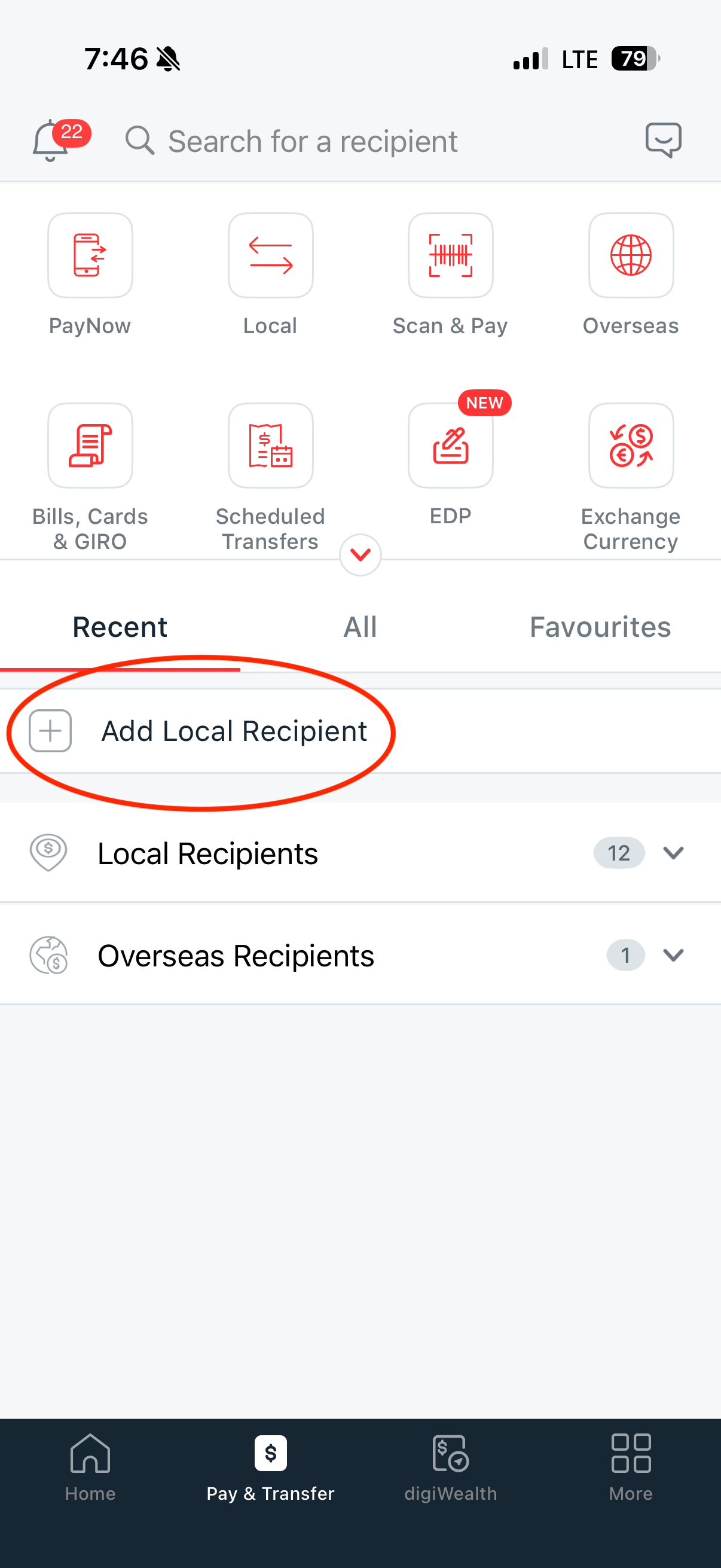
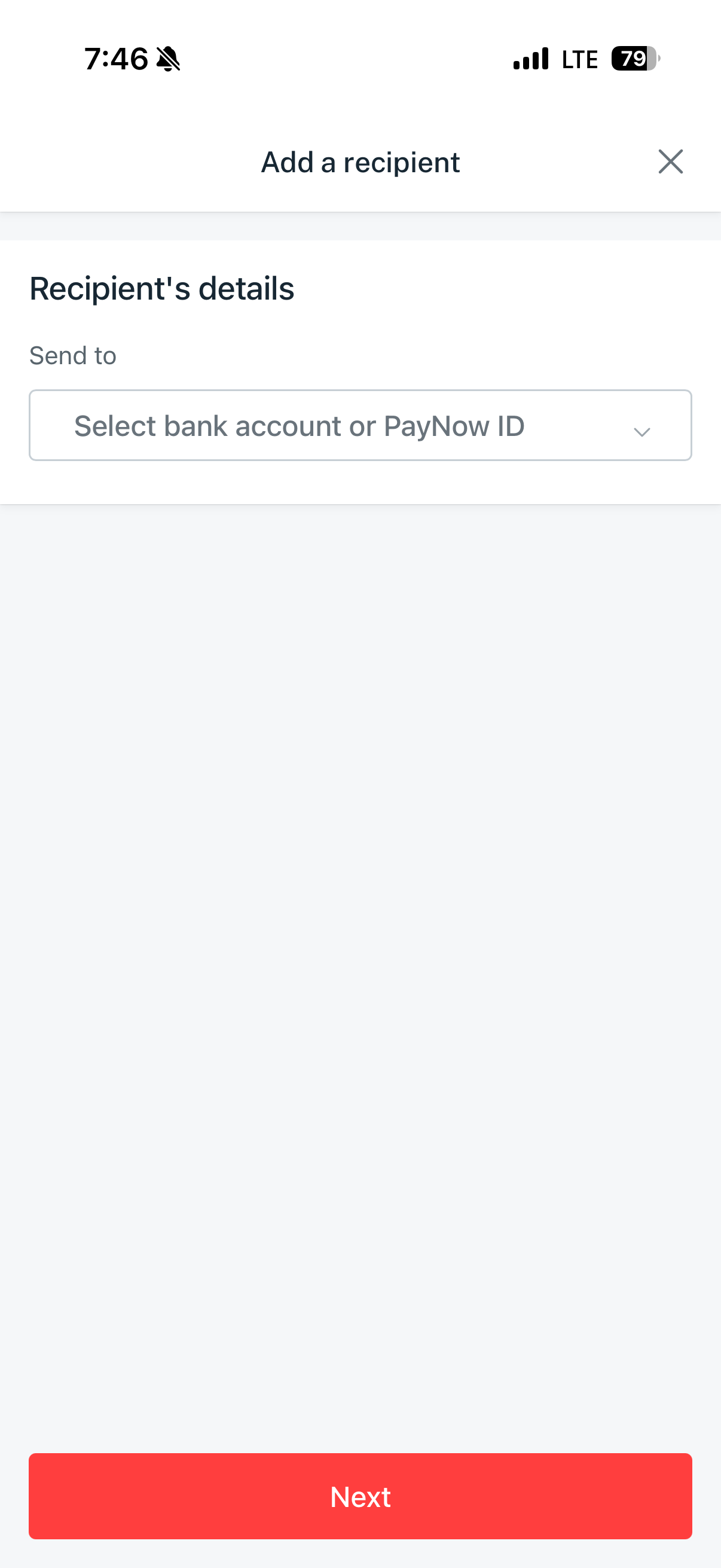
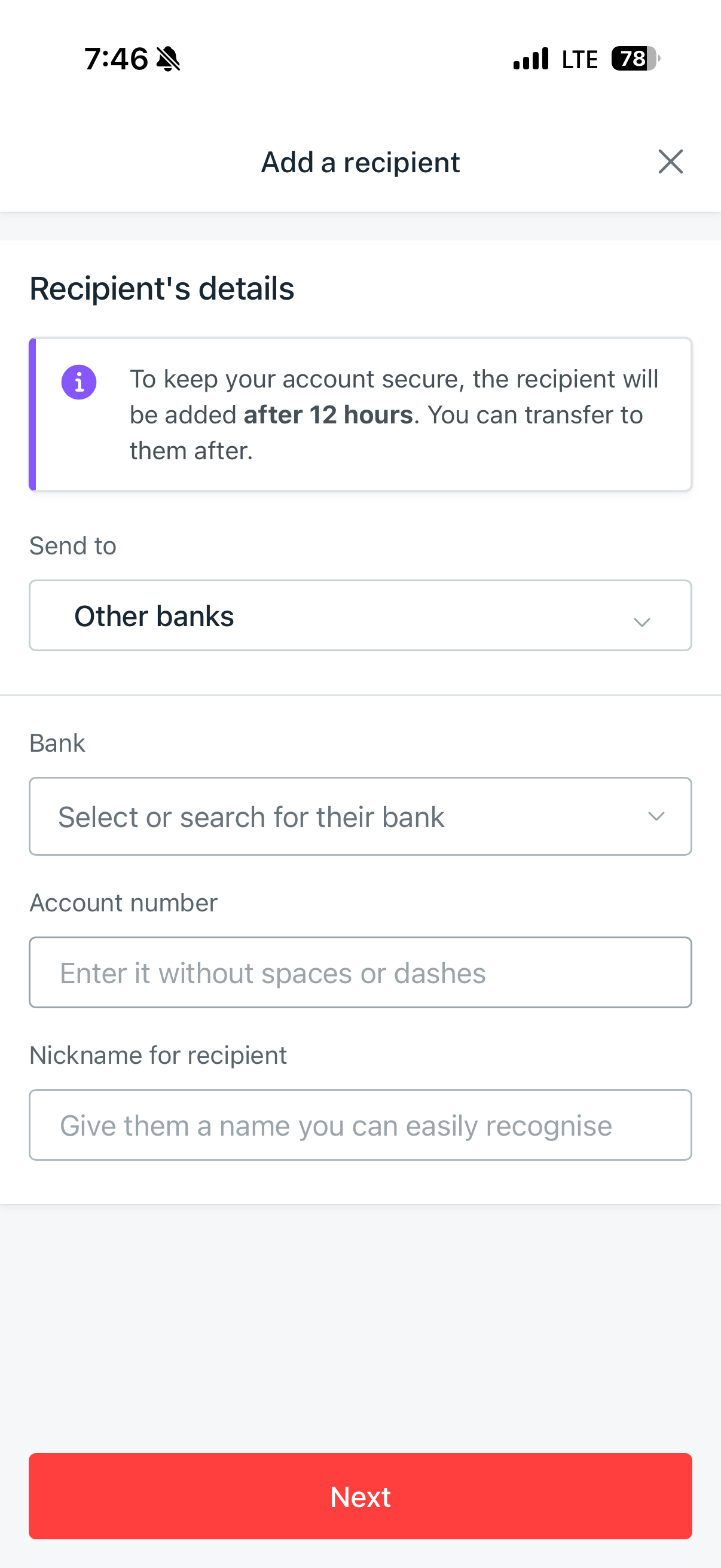
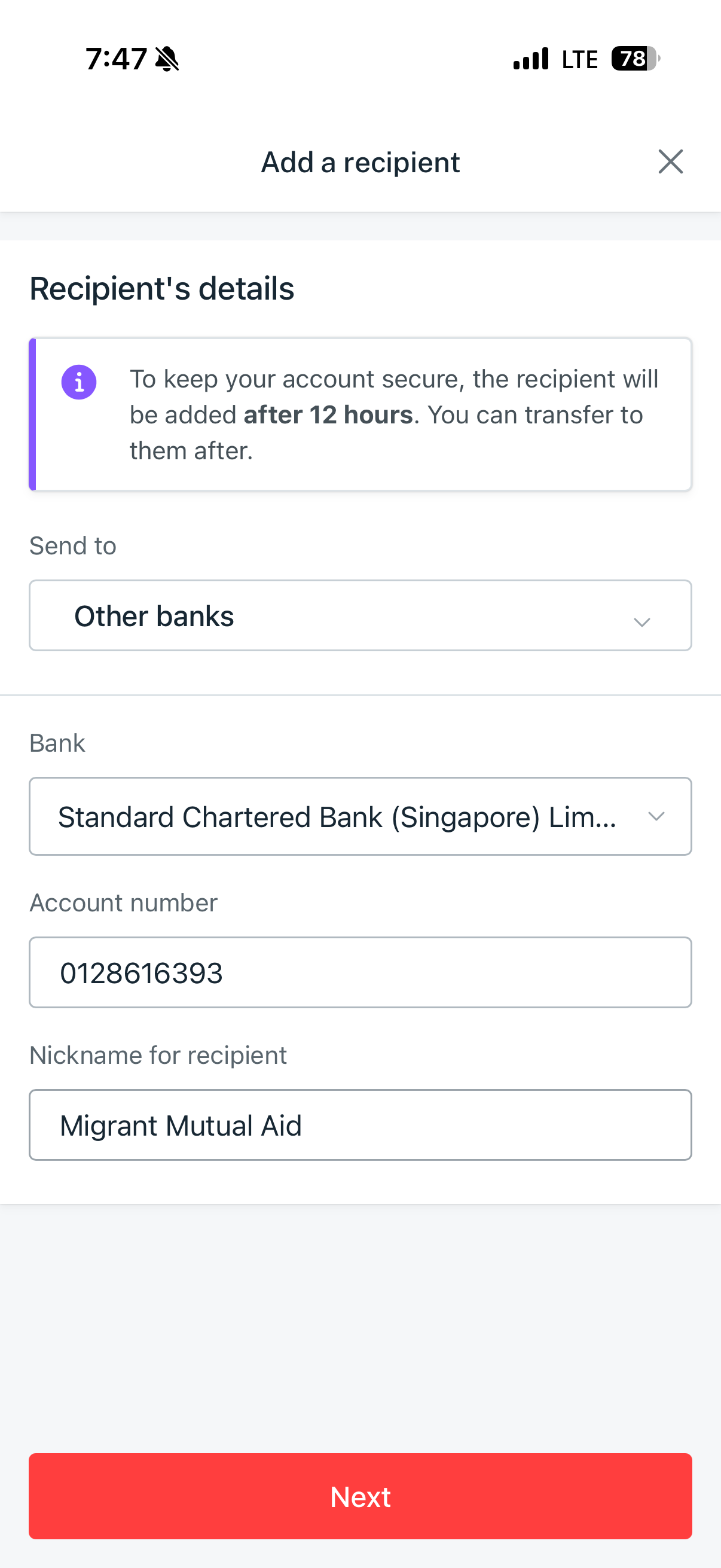
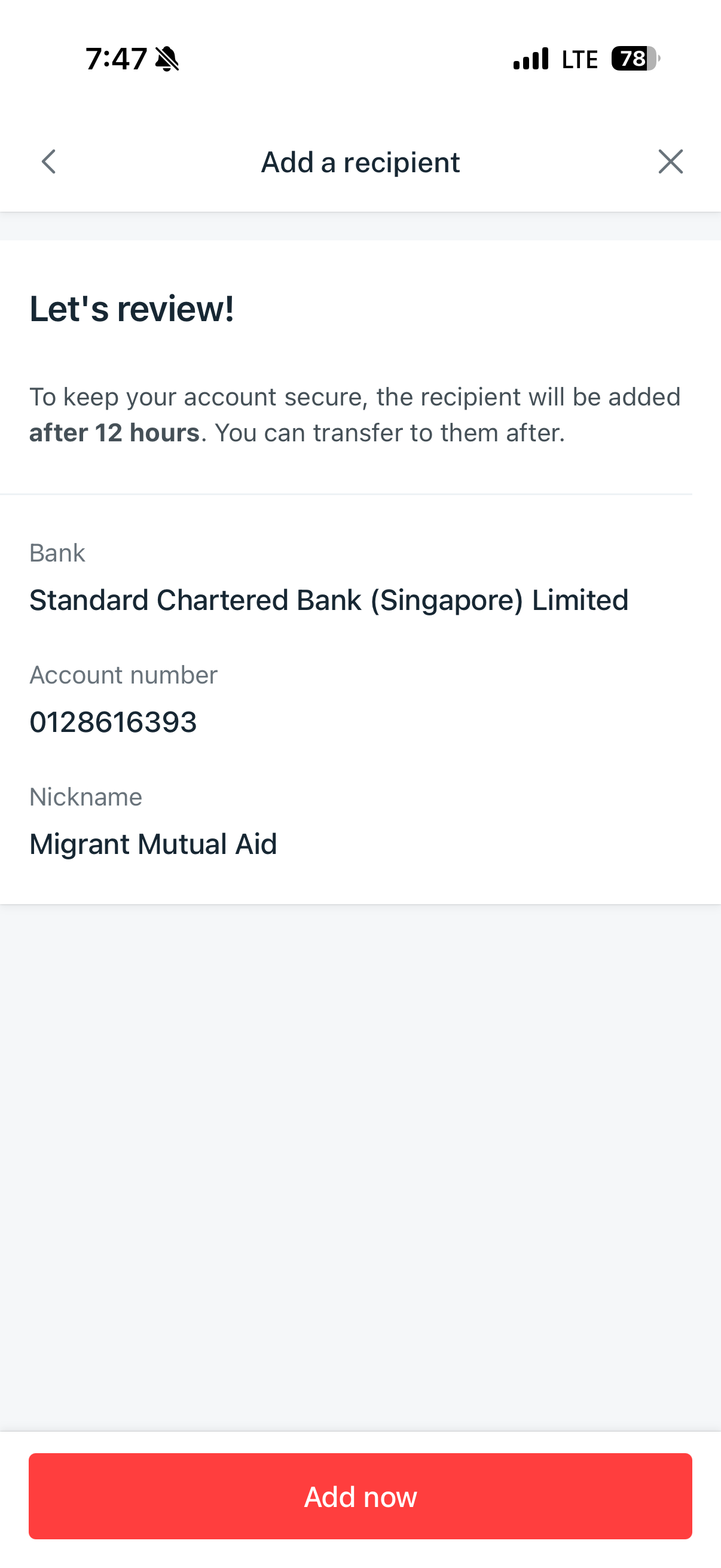
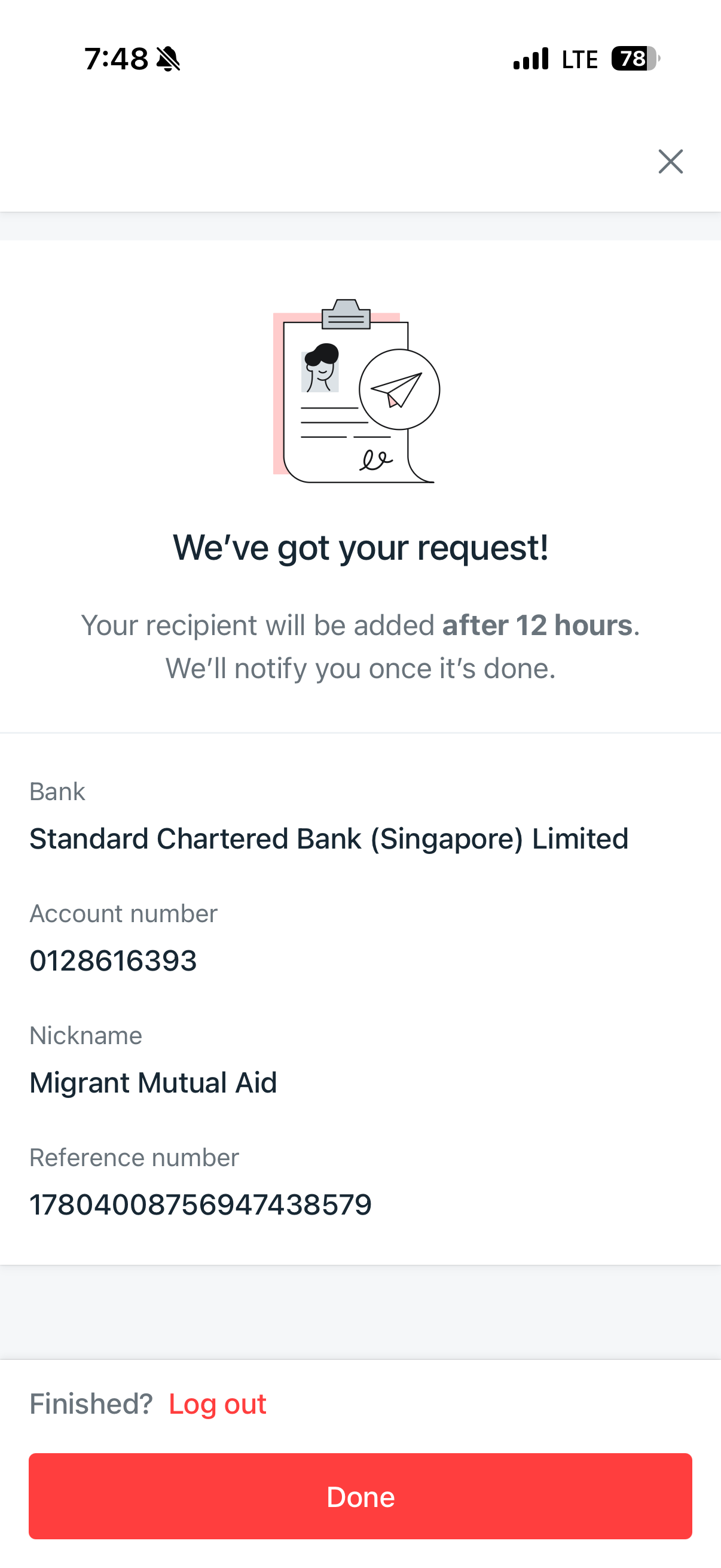
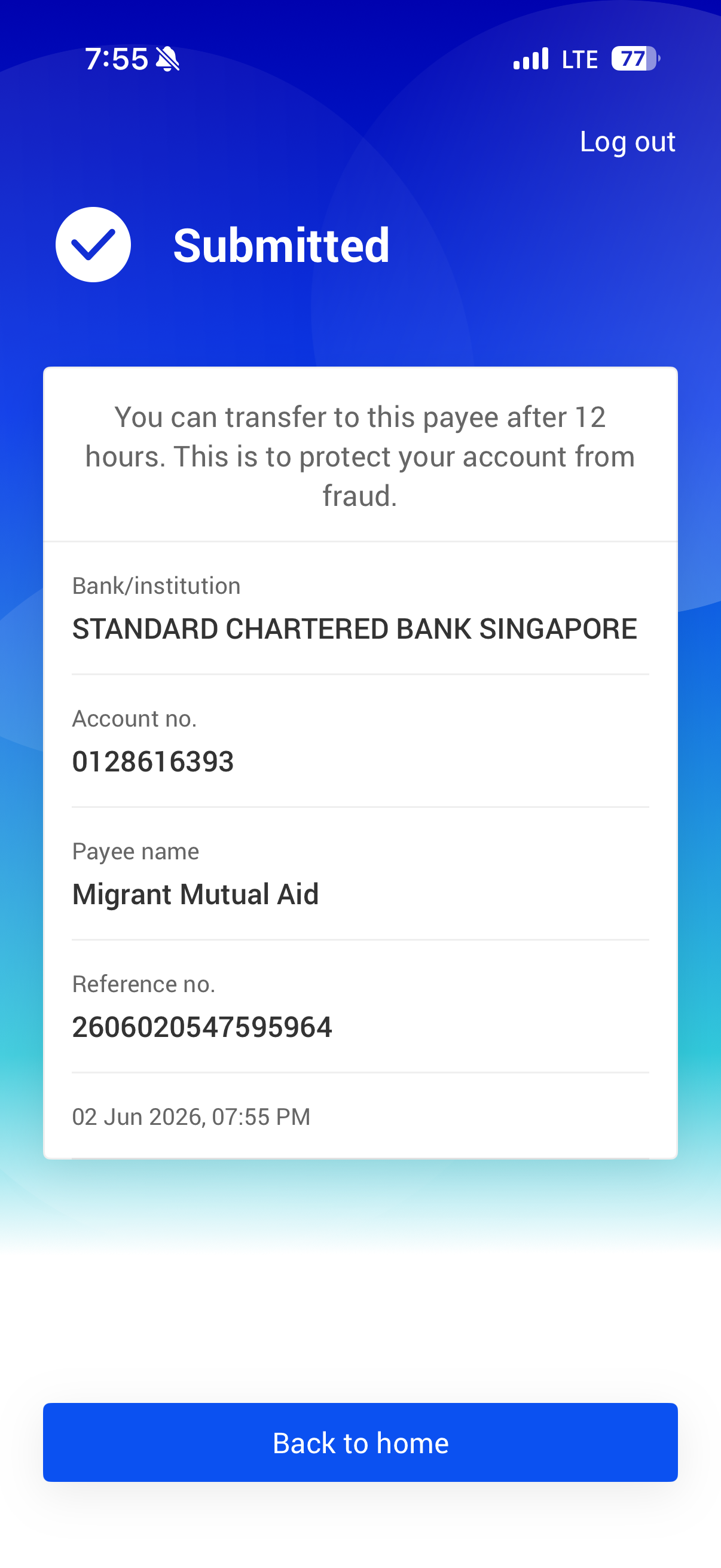
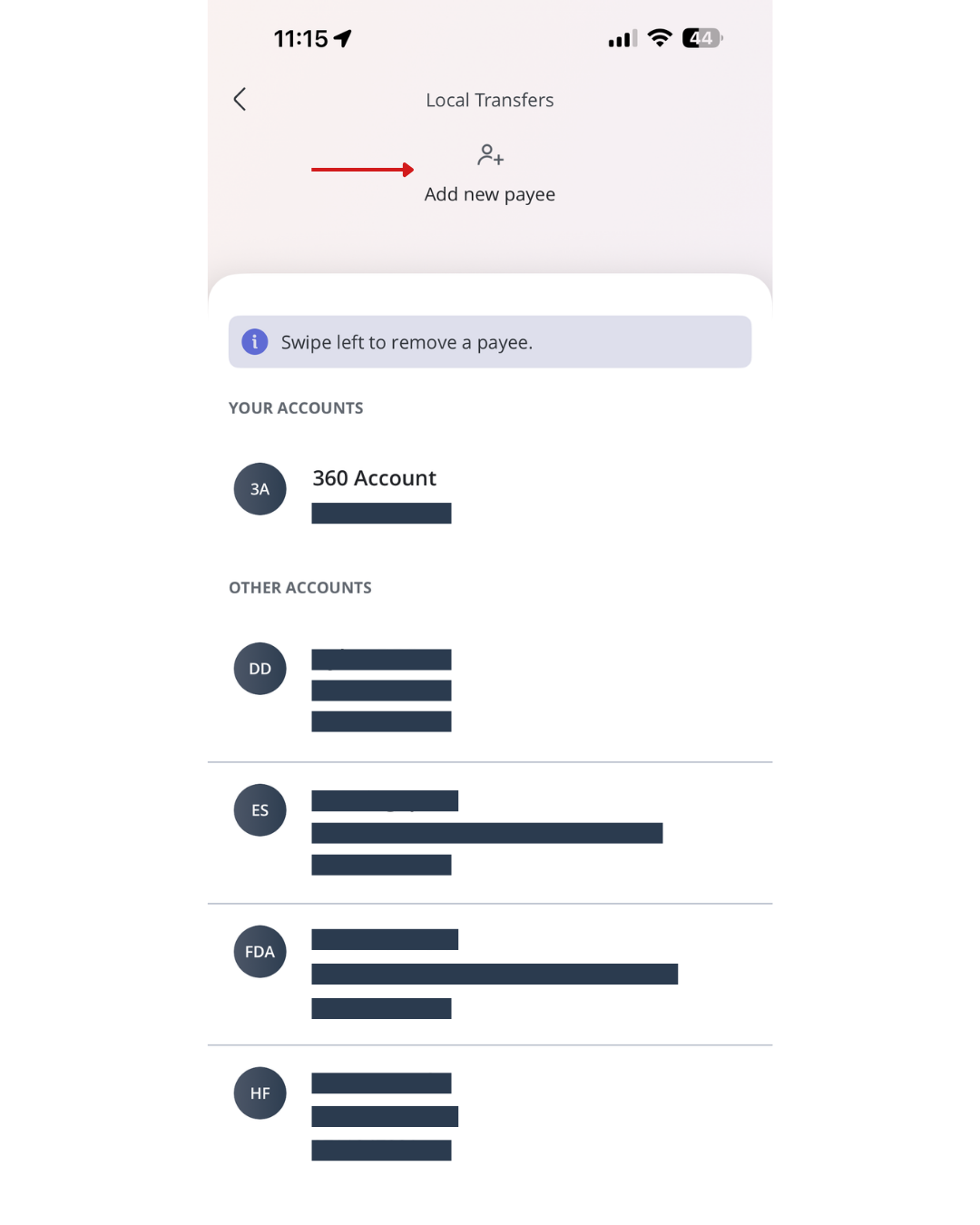
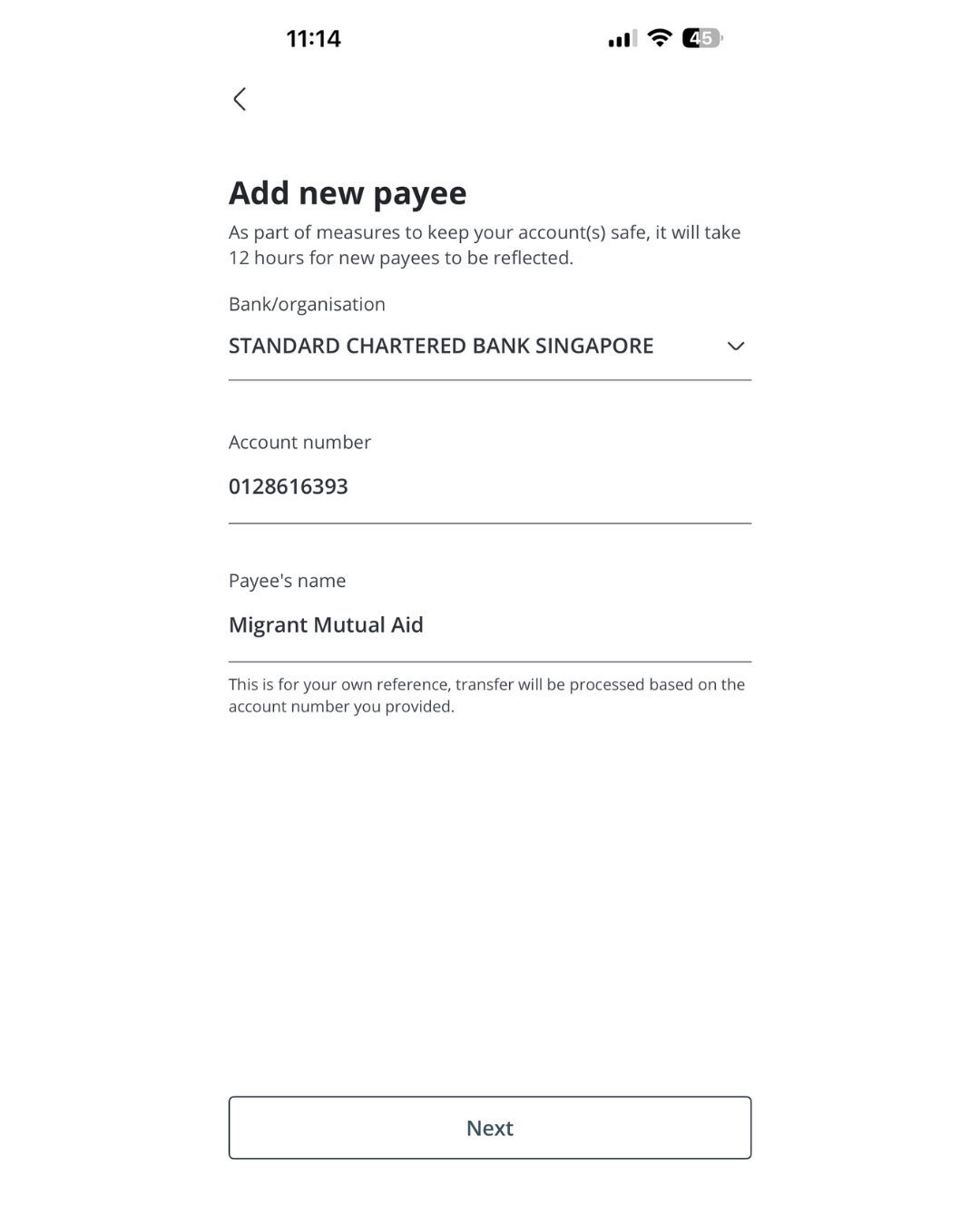
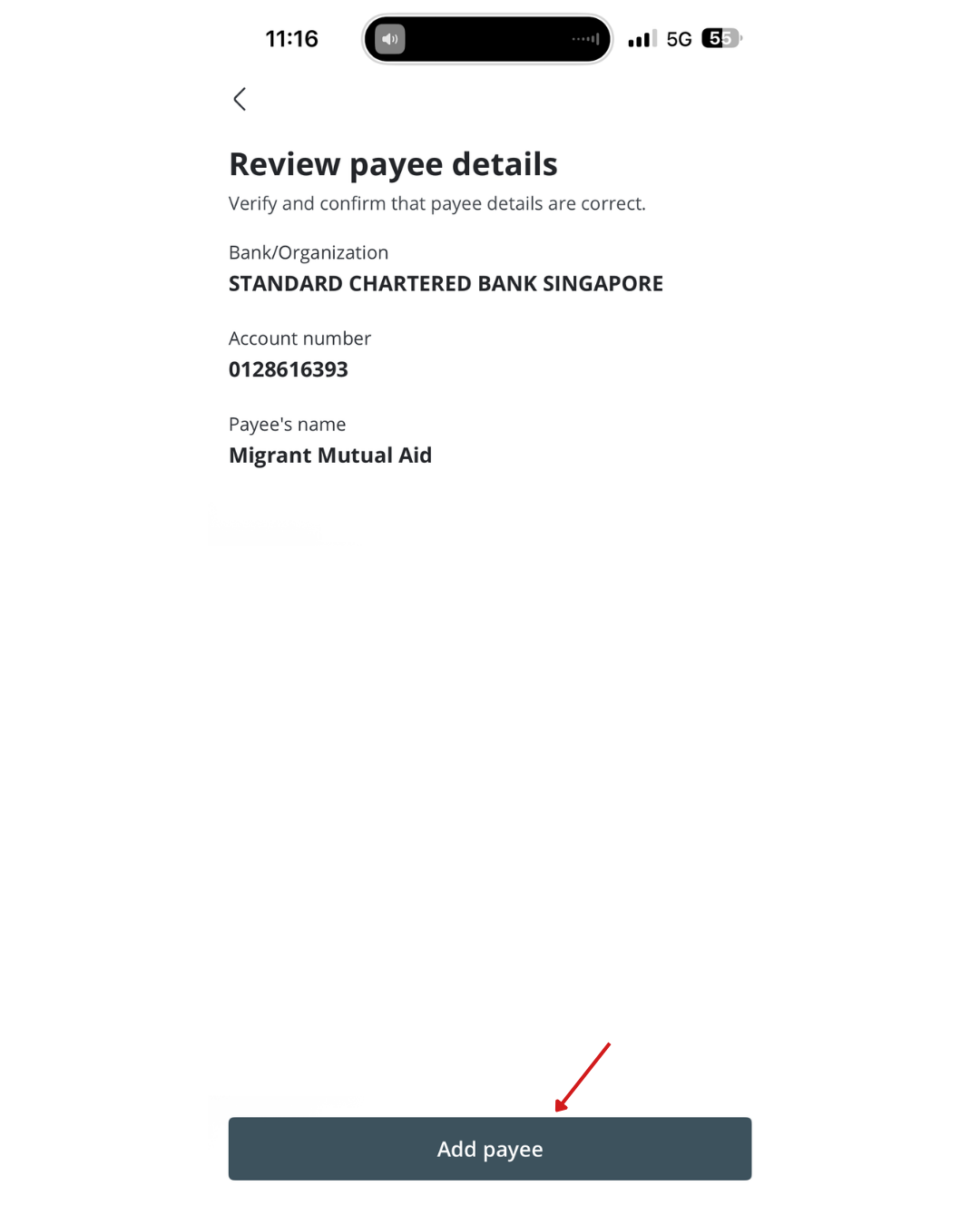
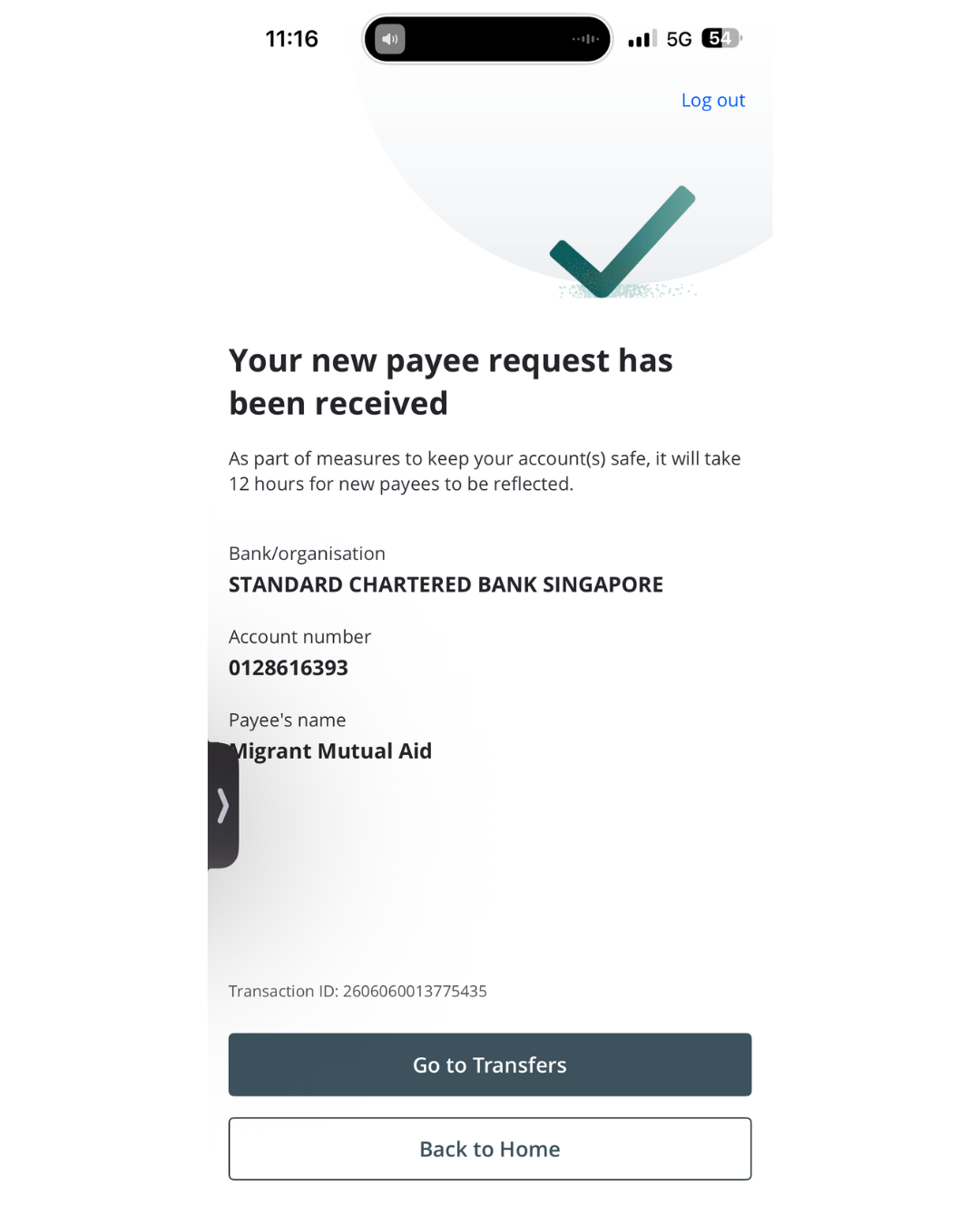
Add MMA as a payee.
Standard Chartered 012-861639-3
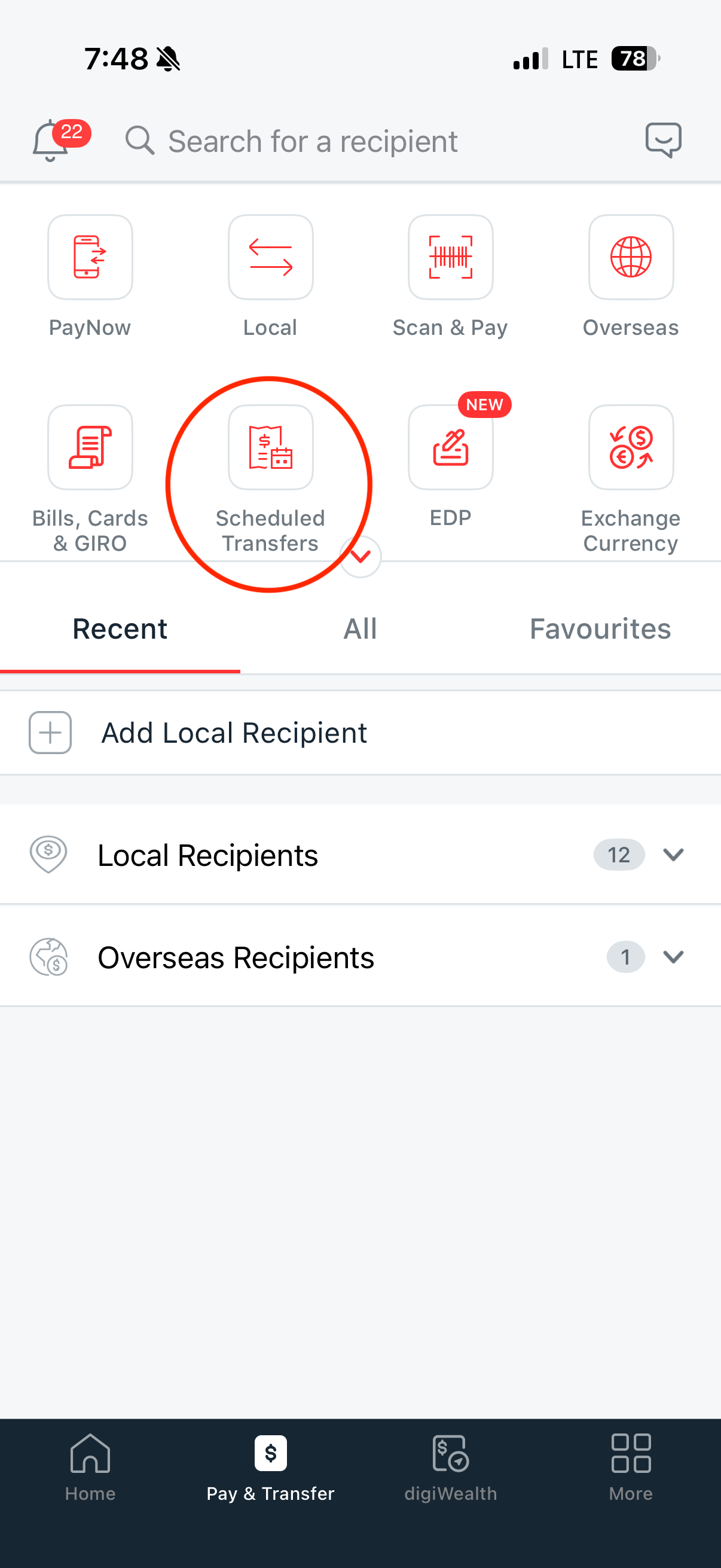
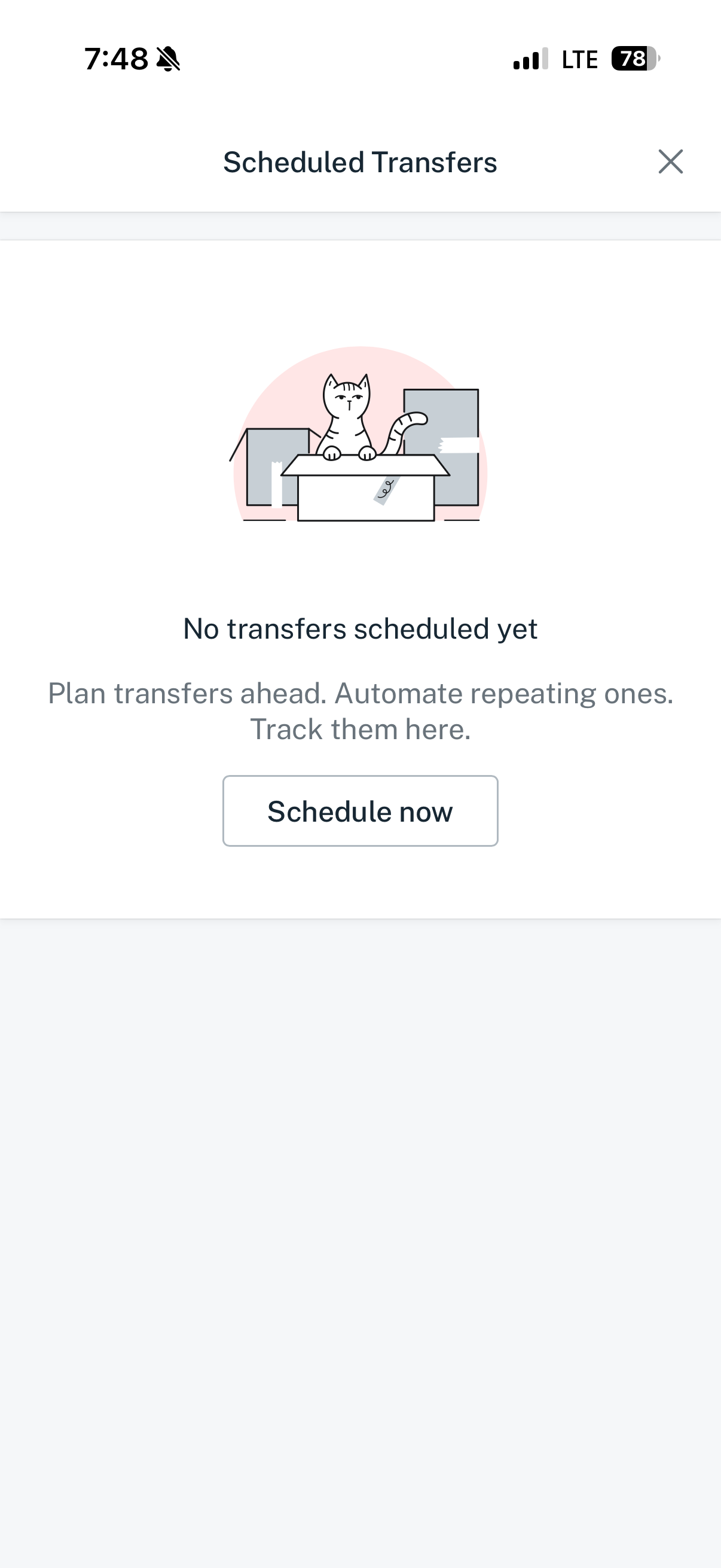
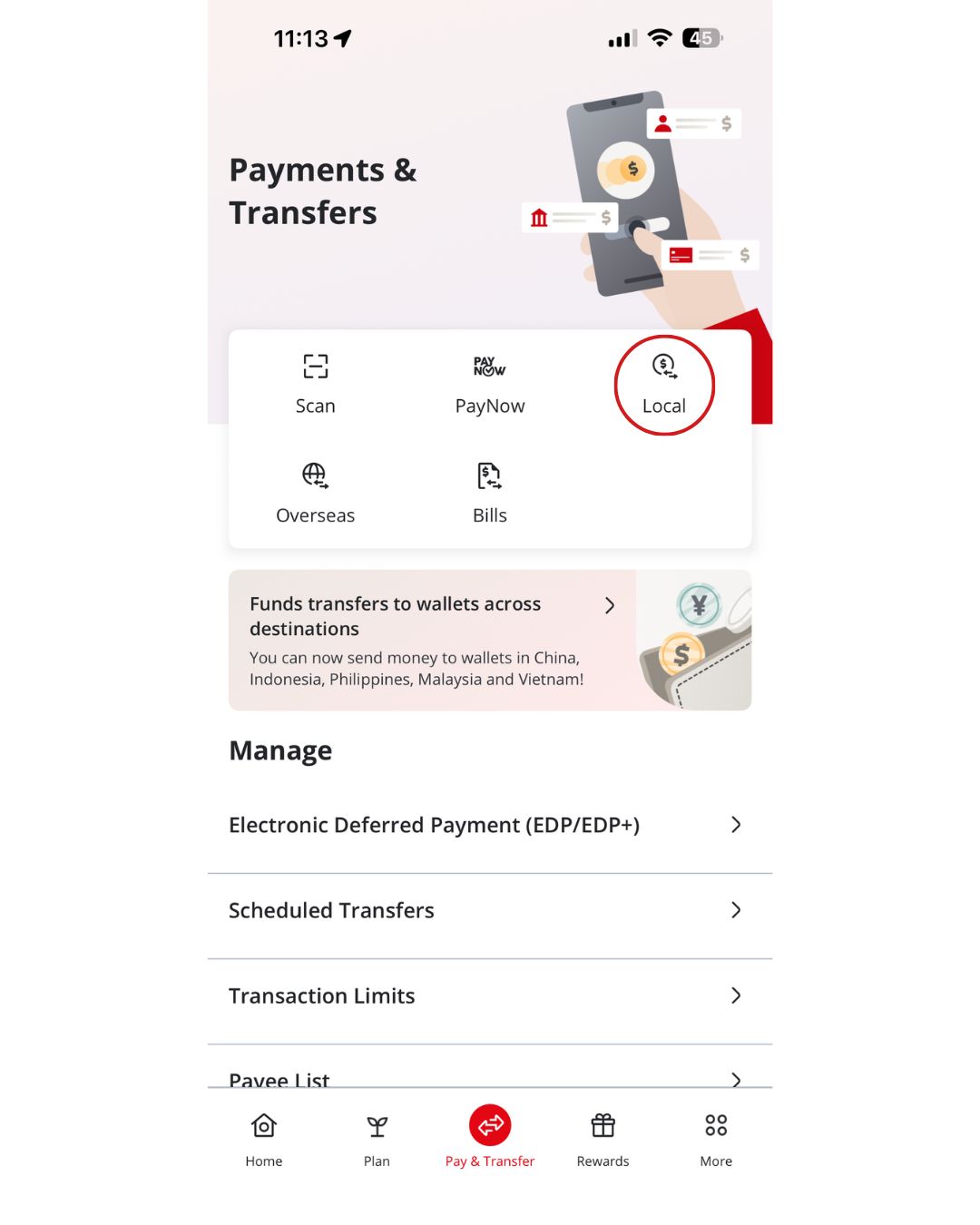
Click Pay & Transfer on the left menu and under Services, click on Scheduled transfer.
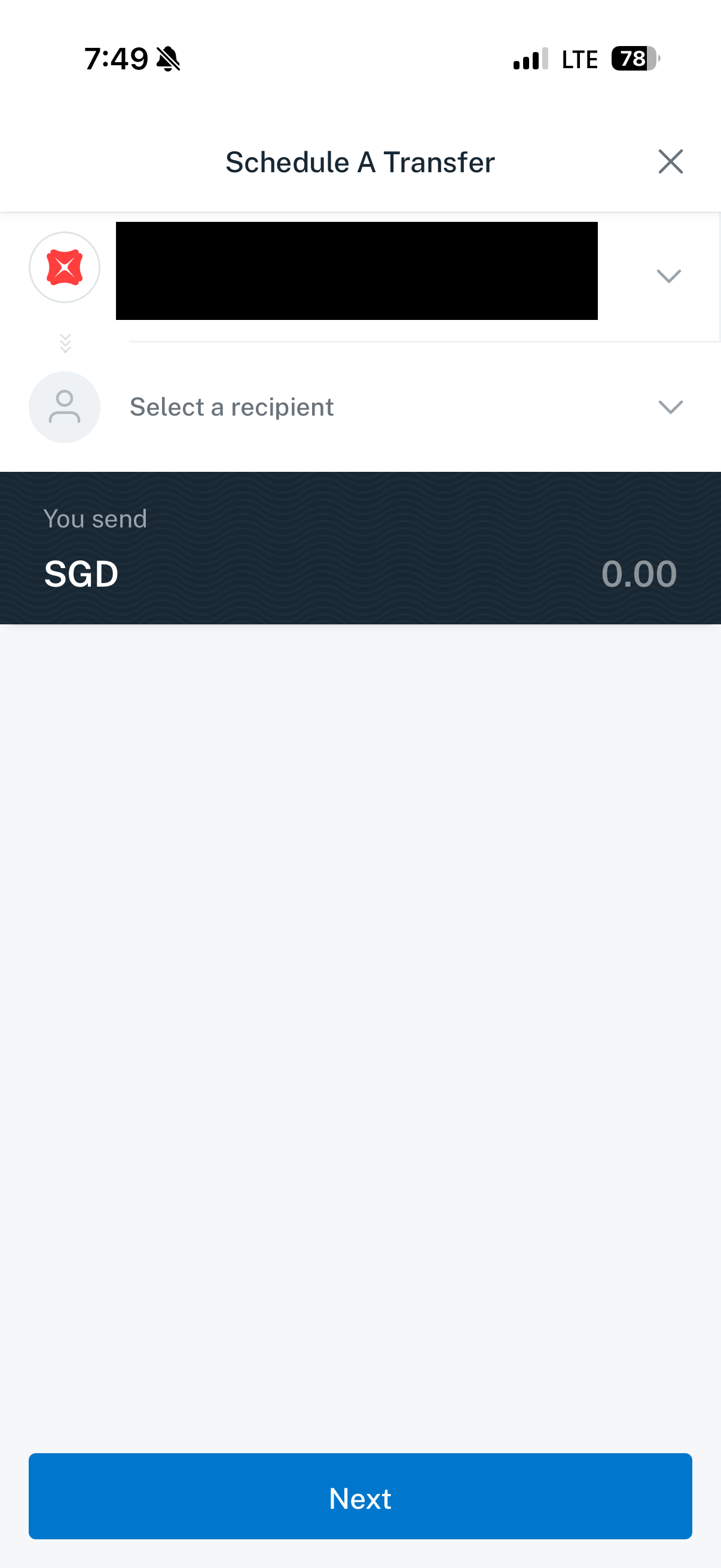
Click on Recurring at the top and select + Schedule a transfer.
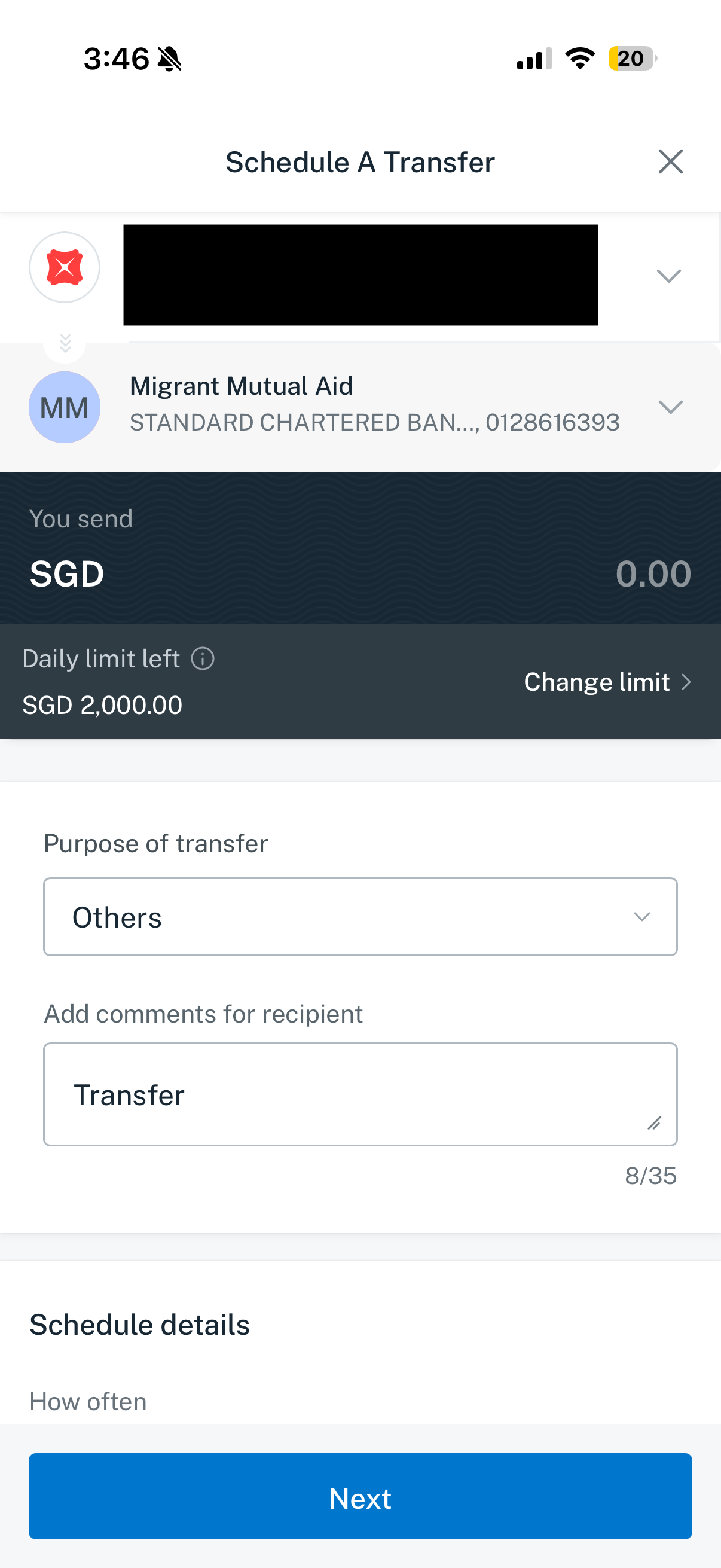
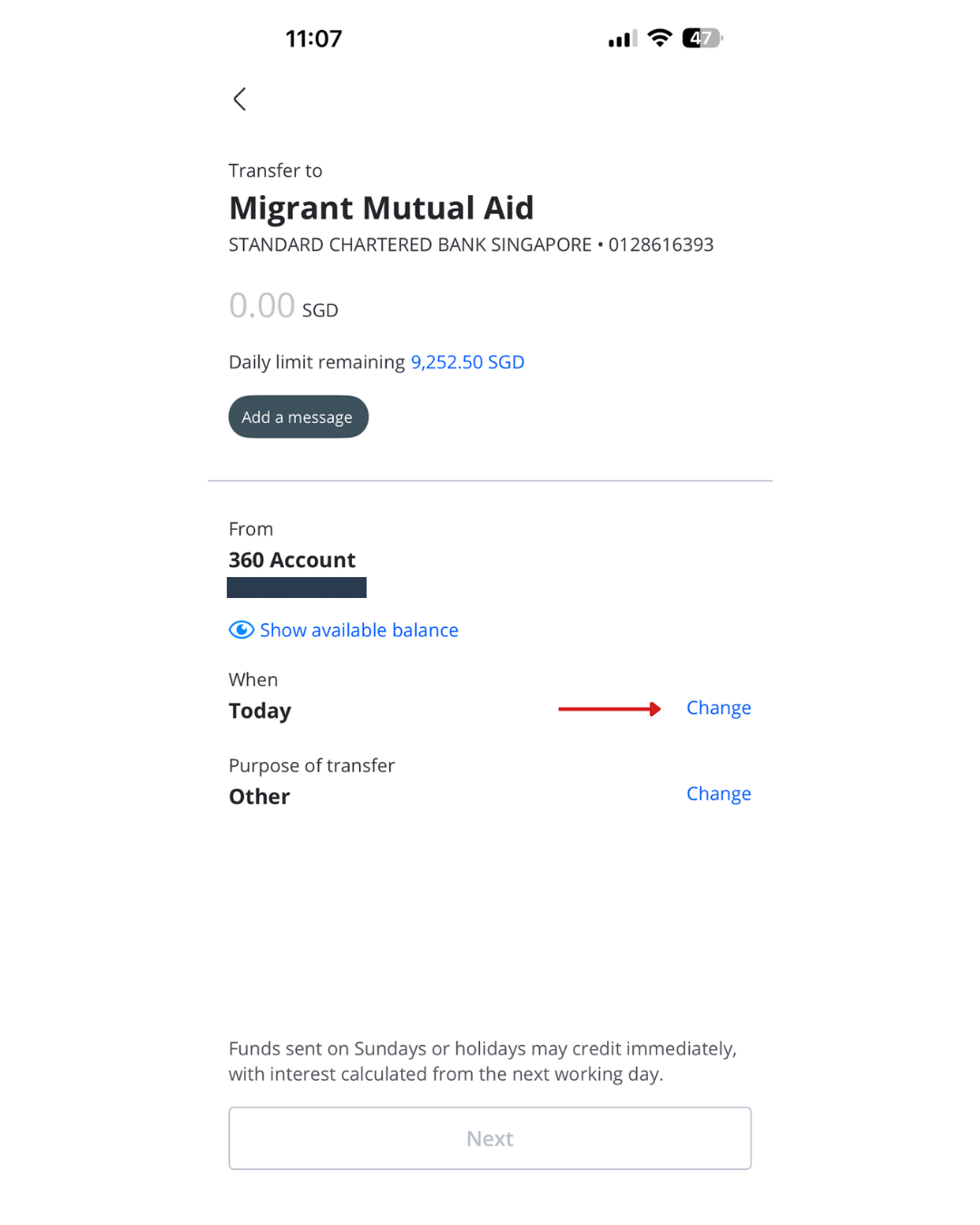
Select your Account to transfer from and the recipient you wish to schedule a transfer to
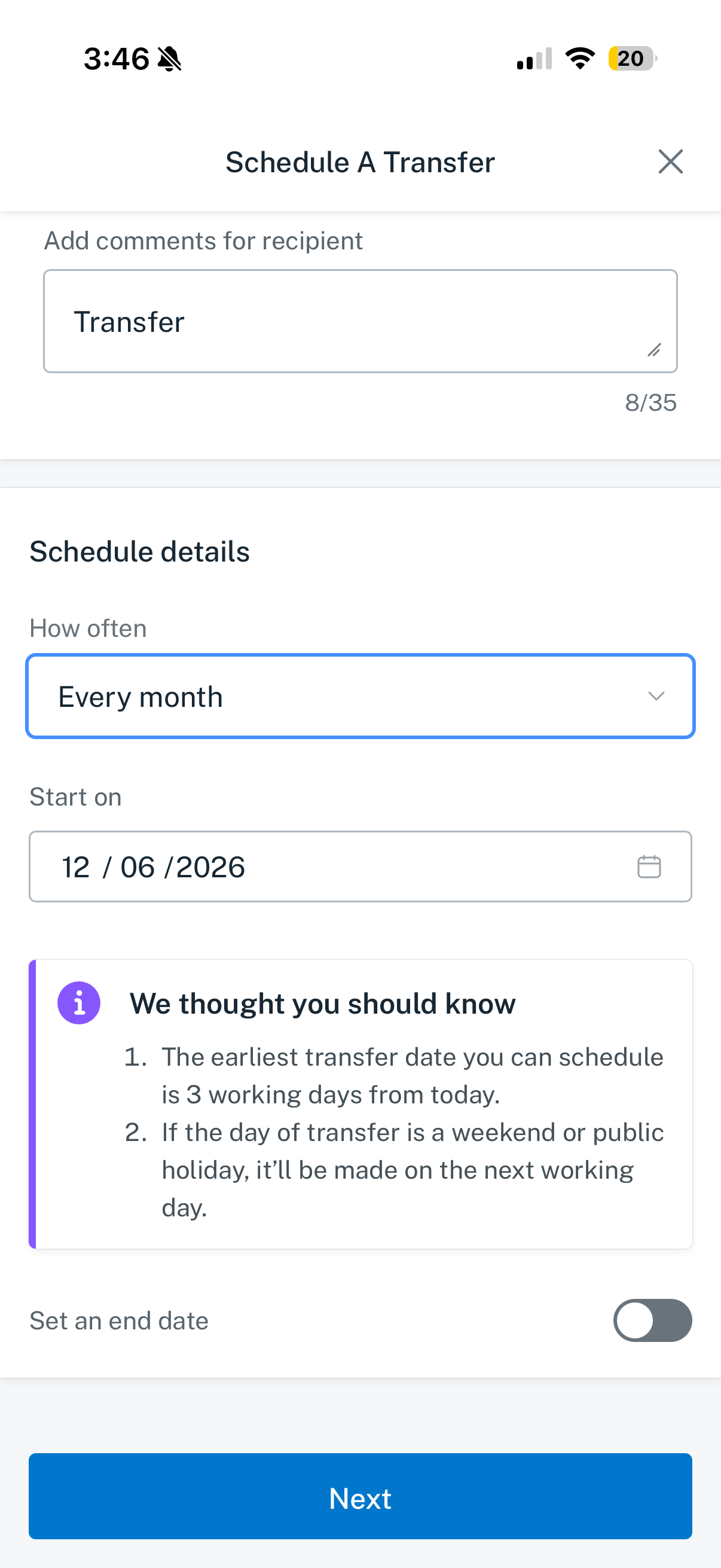
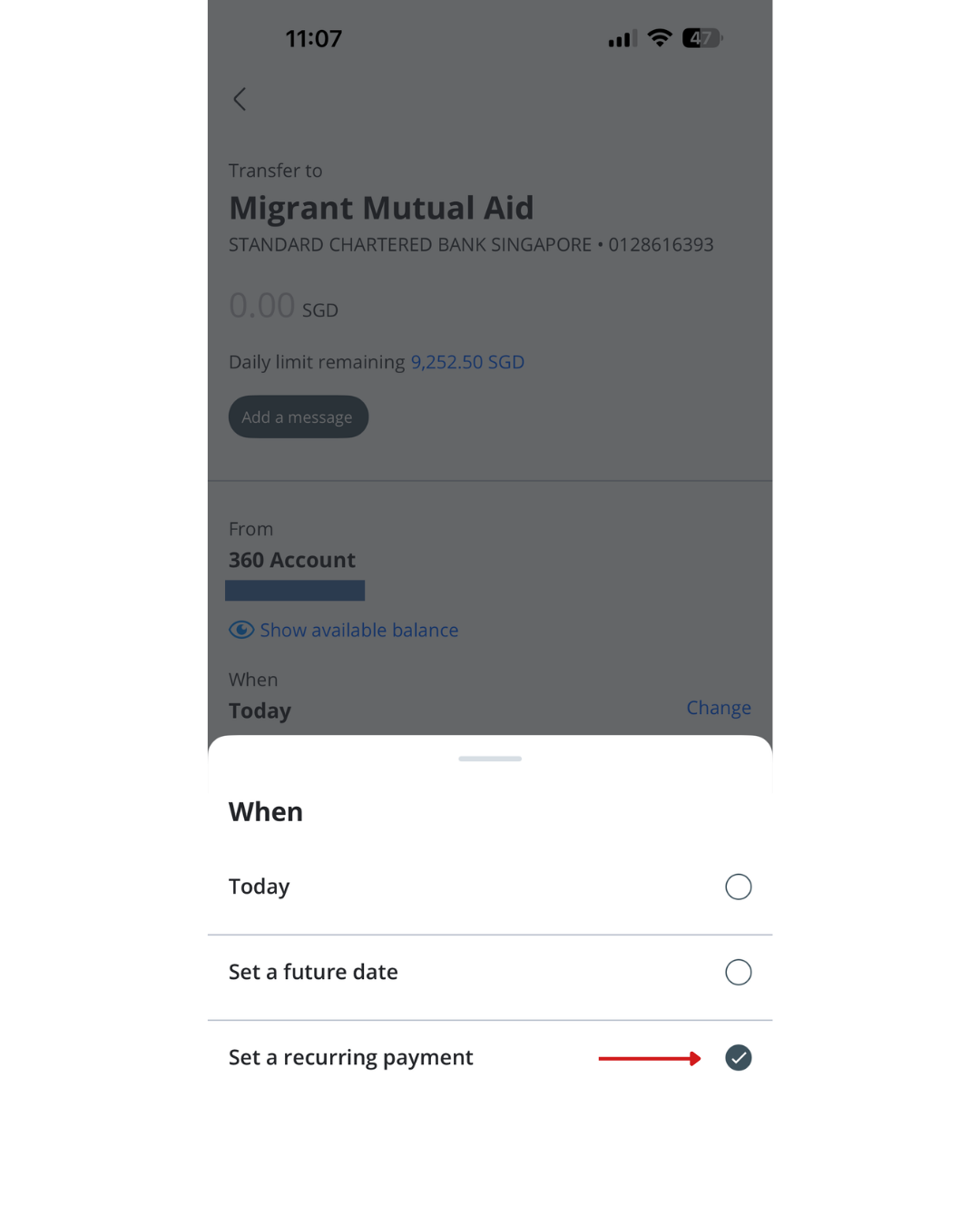
Enter the Amount, select the Frequency and Start date of your recurring transfer. Toggle on Set an end date and select the End Date if you’d like the recurring transfer to have an expiry. Click Next.
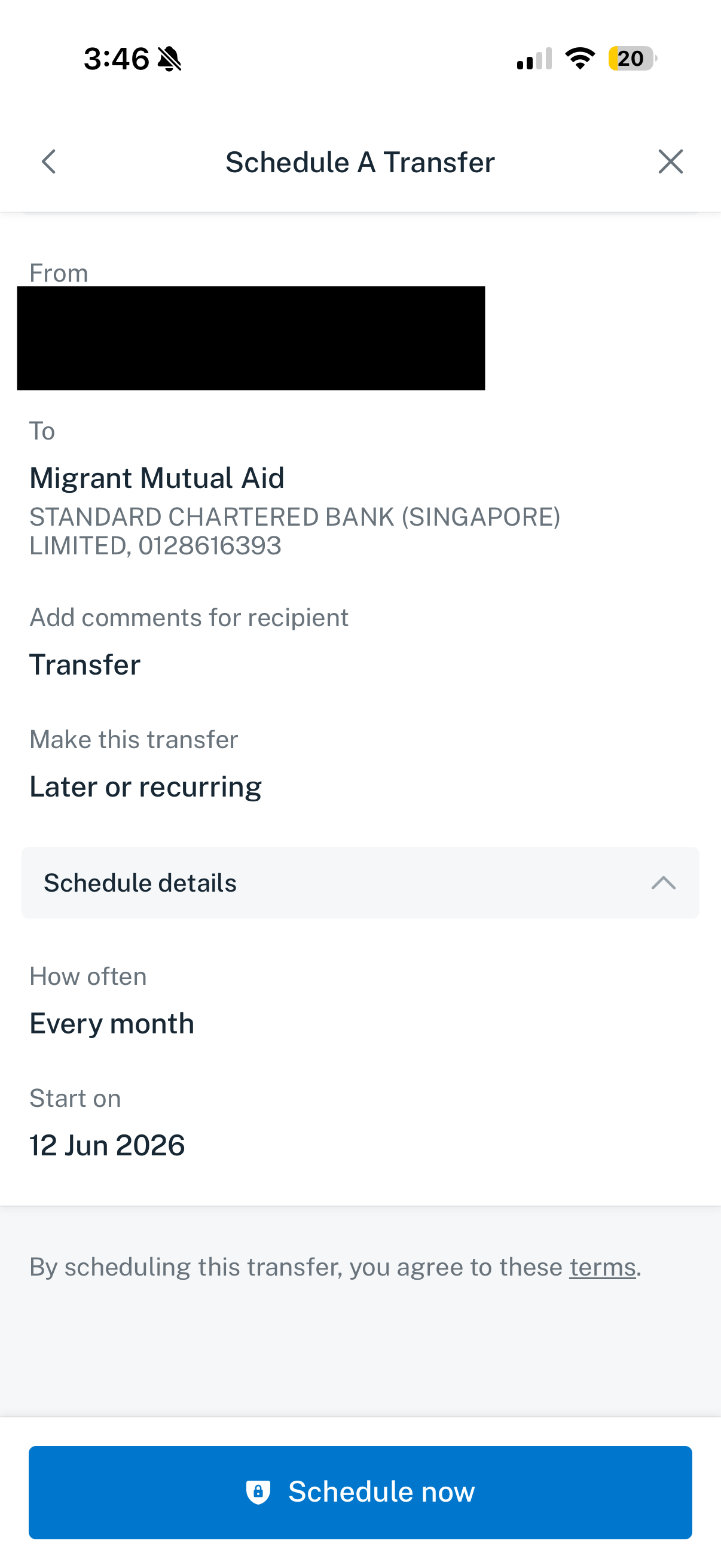
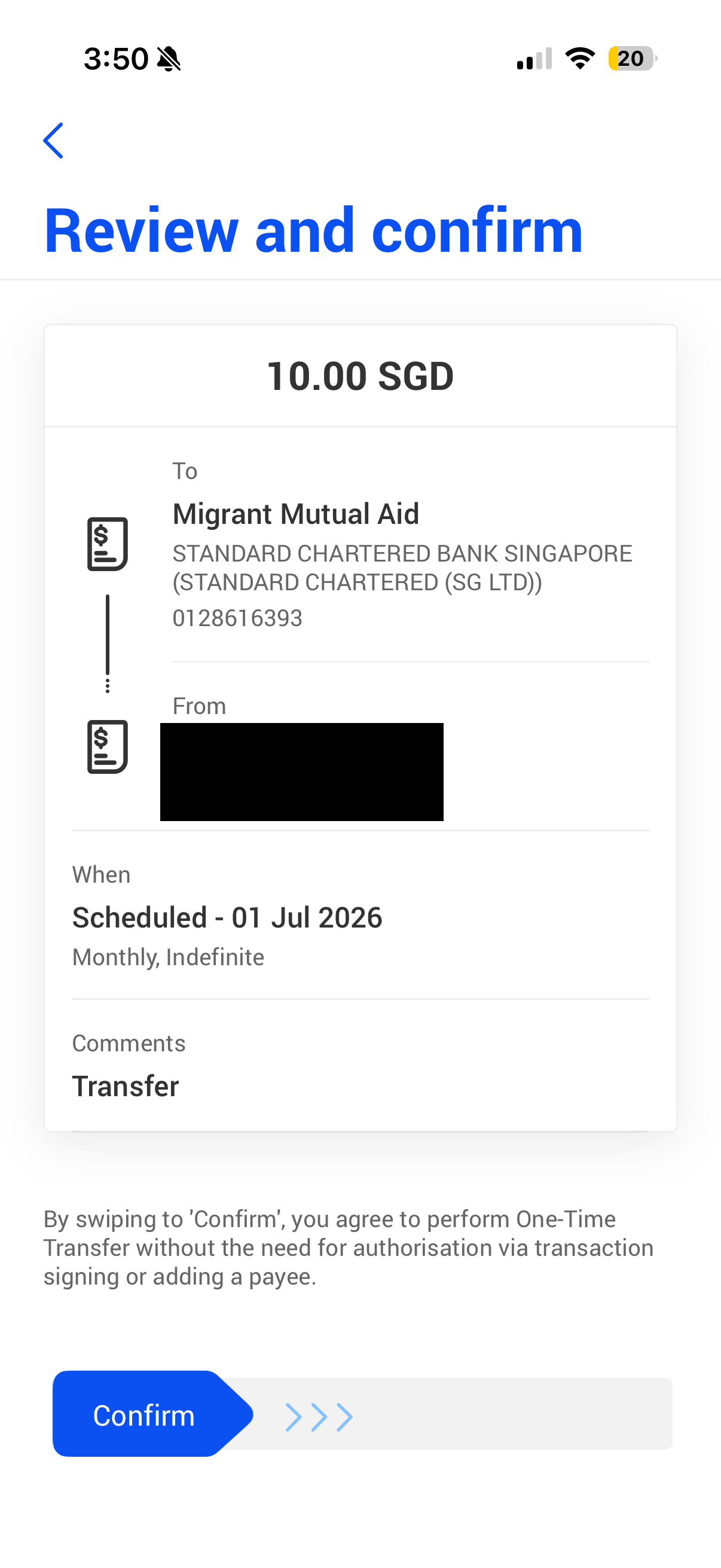
Verify your recurring transfer details and click Schedule now to complete the setup.
The recurring fund transfer setup is completed
First, set up Migrant Mutual Aid as a local recipient.
Then, make a scheduled transfer.
If you have a UOB account
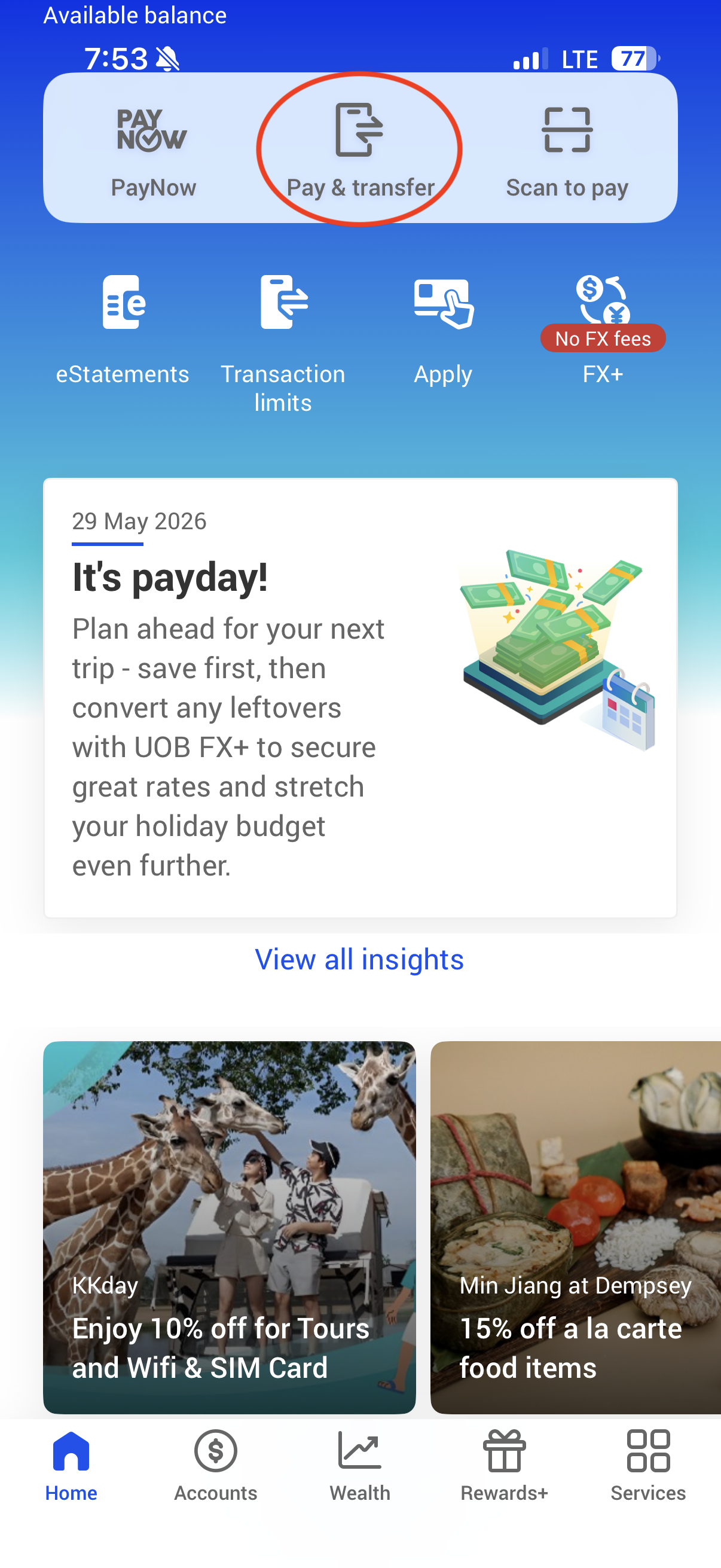
Log in to your UOB TMRW app.
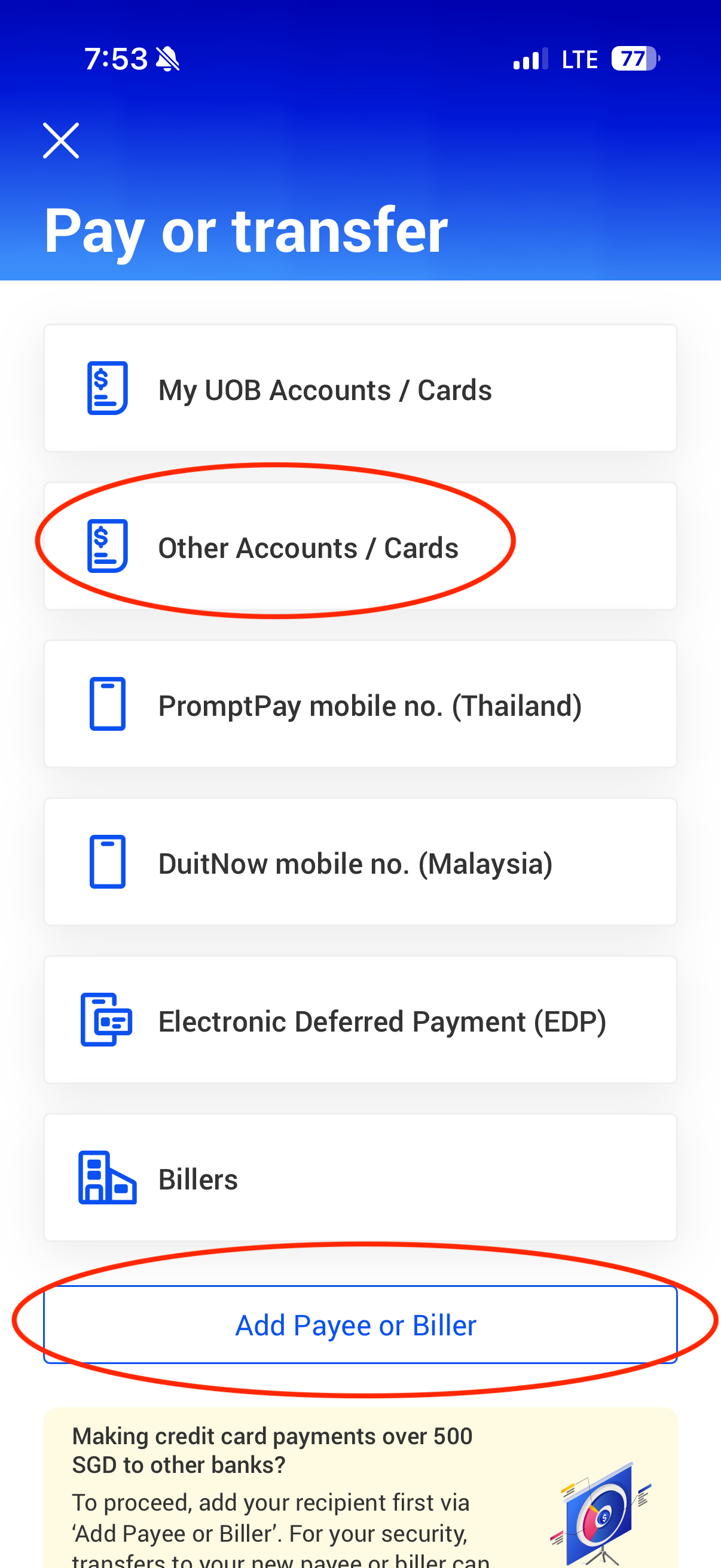
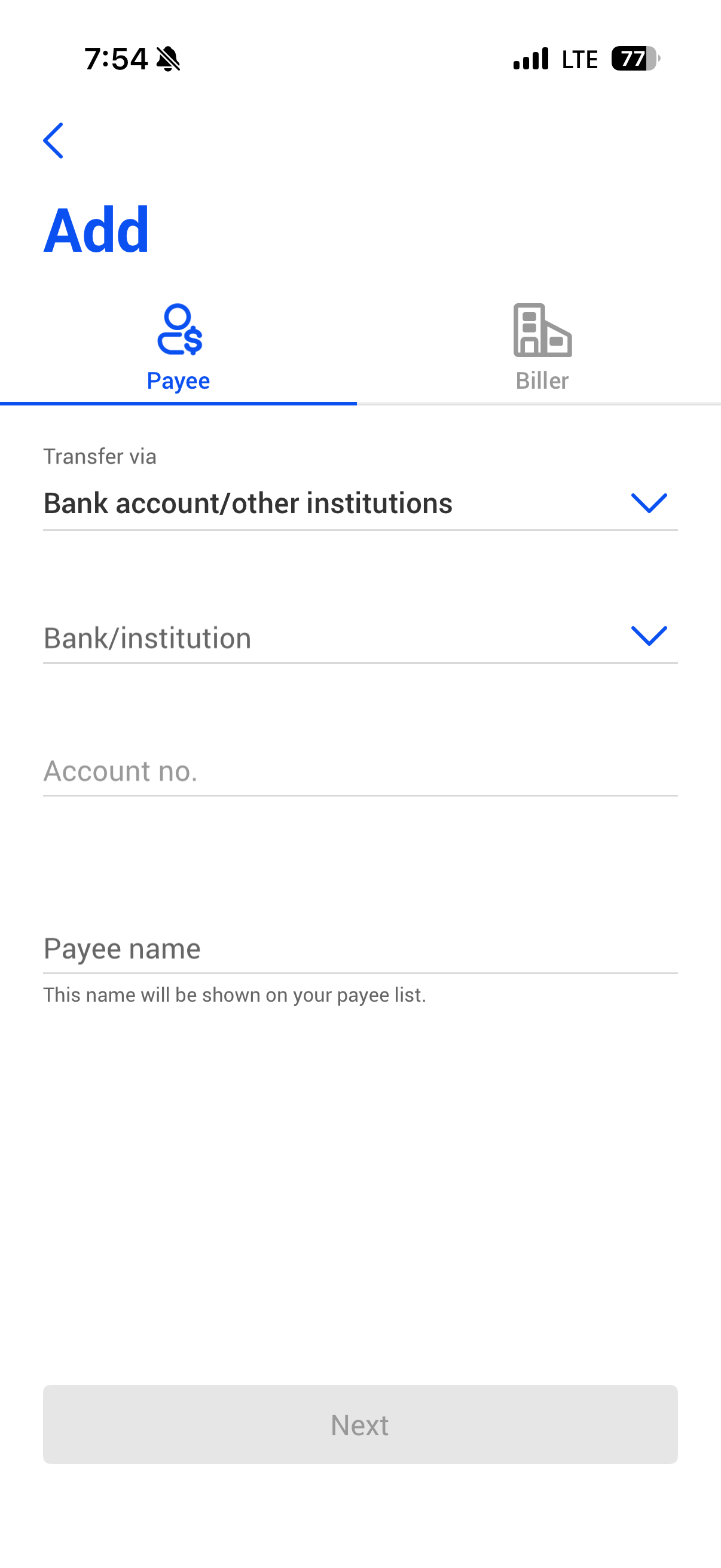
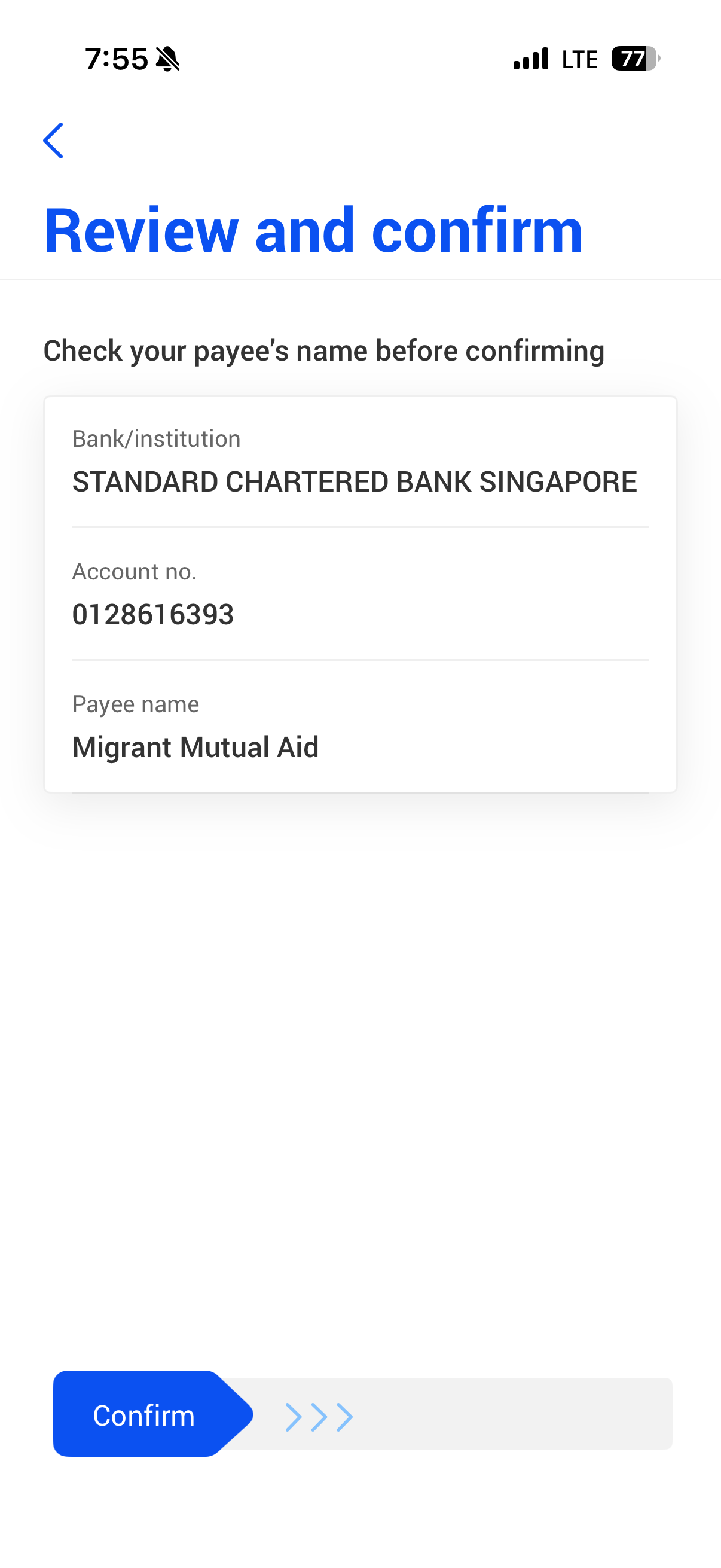
Add MMA as a payee.
Standard Chartered 012-861639-3
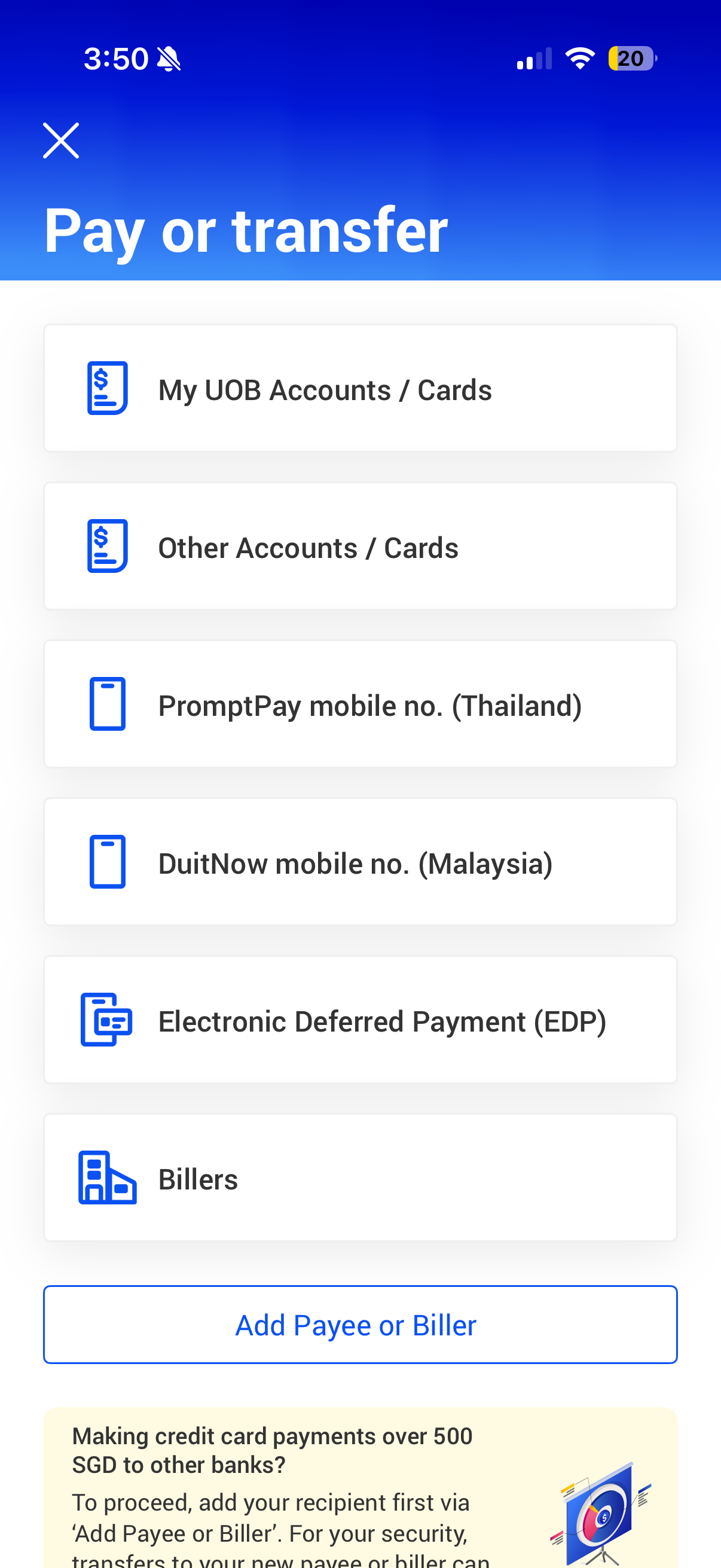
Click on Pay & Transfer.
Tap on the Account you wish to pay or transfer the fund to.
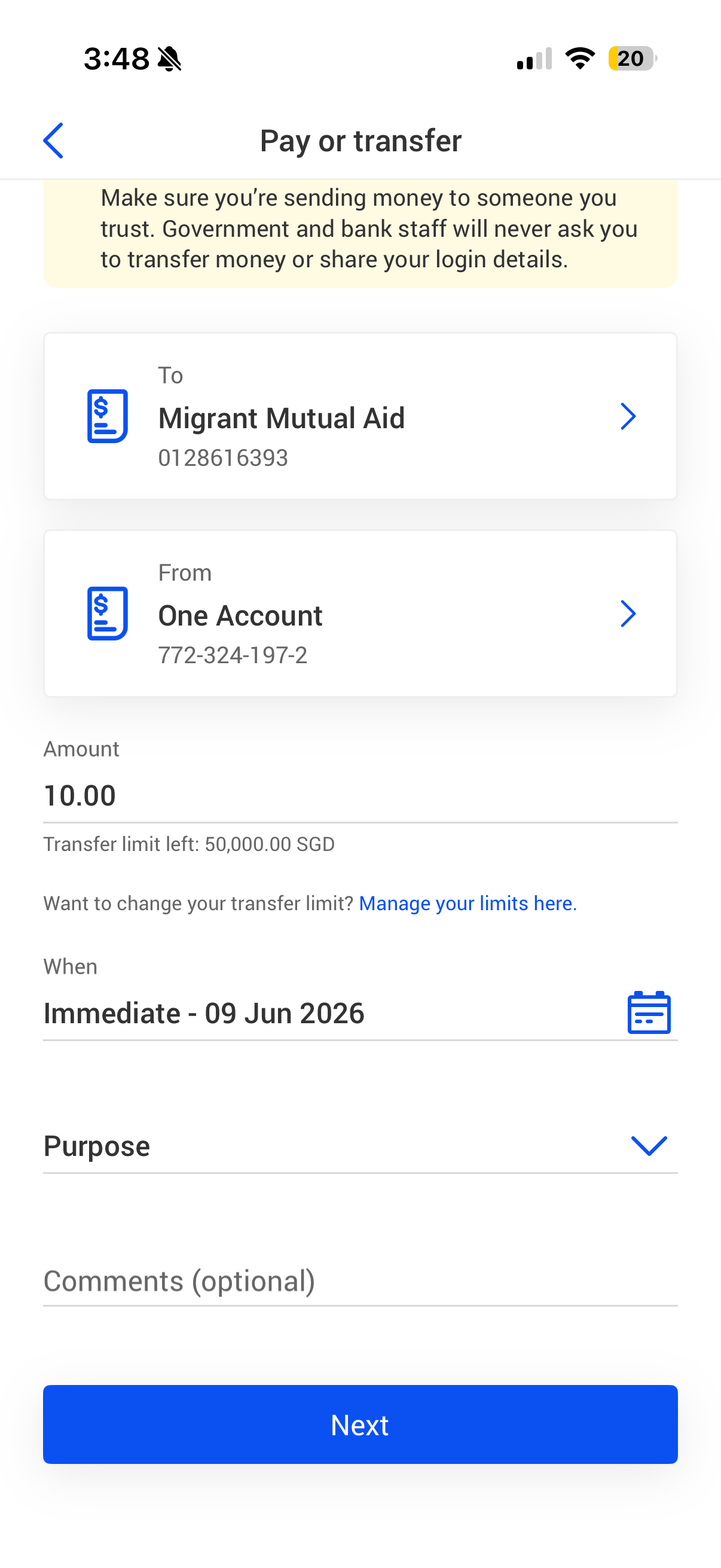
Input the amount you are transferring. Next, tap on the calendar icon to select the date for the first fund transfer to be initiated.
To set up a recurring fund transfer, select a future dated date. If you select “Today” as the date of transfer, it will be treated as a one off immediate fund transfer.
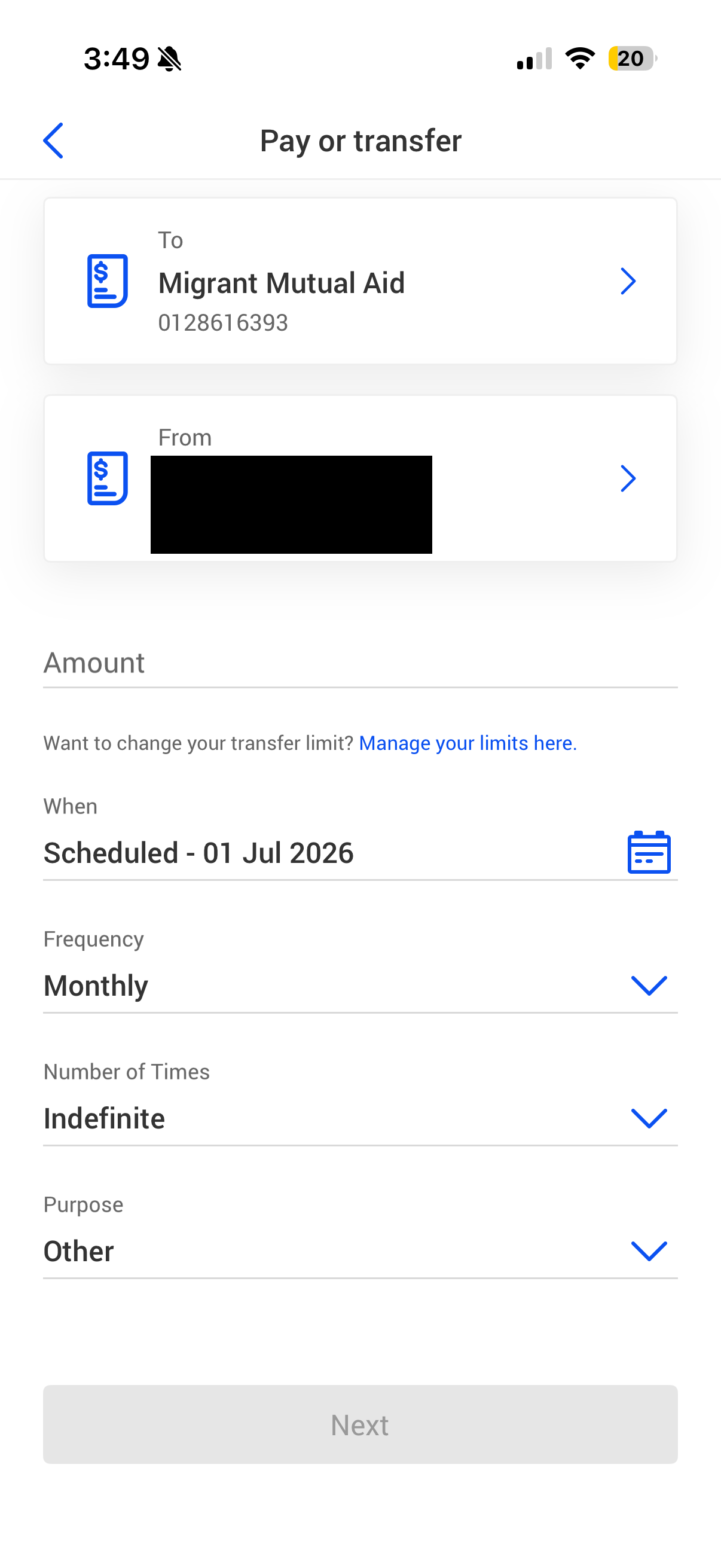
Select the frequency of the recurring fund transfer (e.g. Once, Daily, Weekly, Monthly, Quarterly).
Select the number of times you wish for the recurring fund transfer to take place.
You will be prompted to confirm that the transfer is to be sent to a payee that you know and trust. Tap on “Continue” to proceed.
In the confirmation screen, check all details and swipe right to confirm.
The recurring fund transfer setup is completed
First, set up Migrant Mutual Aid as a recipient/payee.